How to use AI to plan a holiday gift budget
A copy-ready prompt that splits your gift money between the people on your list, sets aside wrapping, postage and a cushion, and shows the sum so you can check it.

Plan my holiday gift budget
Help me plan my holiday gift budget. My total for gifts is [total], and that has to cover everything. People I'm buying for: [each person and what they like, for example: Mum, likes gardening; nephew, 9, loves Lego and drawing; work Secret Santa, $20 limit]. Also set aside money for [extras]. Keep [cushion] of the total unspent as a cushion. Give me a table with each person, an amount, and two or three gift ideas that usually fit that amount, then show the total sum step by step and check it is no more than my limit. Don't name stores or brands, and don't guess the price of specific products. Then ask me anything you need to know to make it fairer.
Tap a blank to fill it in, or copy it as it is.
The easiest way to overspend at the holidays is to decide each gift one at a time. Every one seems reasonable on its own, and the total only shows up on the card statement in January. Planning the split before you shop fixes that, and it is a job an AI assistant (a chat program such as ChatGPT, Claude, Gemini or Copilot) does well: it divides a fixed amount, shows the sum and suggests ideas at each price. You set the total and you decide who gets what.
What you need
- An AI chat assistant. The free version is enough.
- One number: the most you can spend on gifts this year, including wrapping, cards and postage. Decide this first, from your own budget, not from what you spent last year.
- A list of the people you're buying for, by relationship rather than full name, with a few words on what each likes.
- Any fixed amounts you already know, such as a Secret Santa limit at work.
Step by step
- Fill in the prompt with your total, your list and the extras you'll need. If you post gifts, include postage: it's an easy cost to leave out.
- Read the table. Check that every person is on it and that any fixed limit, like the Secret Santa, has been kept.
- Check the sum yourself. Add the gift amounts, then the extras, then the cushion, on a calculator. They should come to no more than your total.
- Answer the assistant's questions, or tell it what feels wrong: "My partner and my sister should be about the same" or "The kids should get equal amounts." It will rebalance and show the new sum.
- Copy the final amounts into a note on your phone or a list on paper, and write down what you actually spend on each person as you go.
- When a gift costs less than its cap, leave the difference unspent rather than moving it to someone else. That keeps the cushion growing.
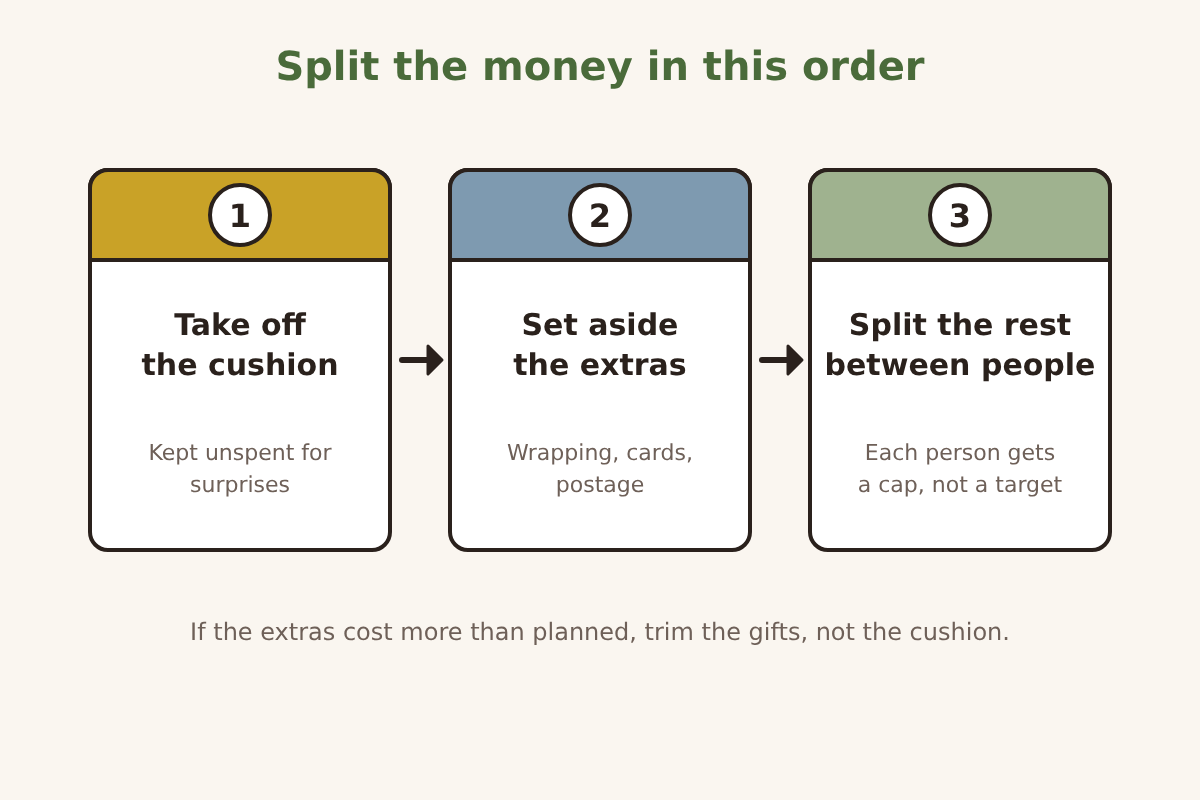
What a good answer looks like
A good answer starts with how the total splits: the cushion first, then the extras, then what is left for gifts. The table has one row per person with a single amount and two or three ideas that are types of gift ("gardening gloves and seed packets", "a sketchbook and drawing pencils"), not named products with prices. Under the table, the sum is written out step by step, and the last line shows the total is at or under your limit.
The best answers also point out the guesses they made. In our test, the assistant set aside $25 for postage and said plainly that it was a planning figure, not a quote. It also asked whether a larger amount for one person felt right.
Where it goes wrong
- Guessed costs for the extras. The assistant doesn't know what postage, wrapping or delivery will cost where you live. Get a real postage quote from your postal service's website before you shop, and adjust the plan.
- Prices for gift ideas. The ideas are only types of gift. Prices change, and the assistant has no idea what the shops near you charge. Check the real price before you count on one fitting.
- Sums that don't add up. Our test sums were right, but check them anyway. If you ask for changes, check the new total again: rebalancing is where slips creep in.
- A plan that ignores your extras. When we just asked "How should I split it?", the assistant shared out the whole $400 between people and only mentioned wrapping and postage at the end, by cutting $20 from three people. Include the extras and the cushion in the prompt from the start.
- Advice beyond the job. If the assistant starts suggesting how to pay (store cards, buy-now-pay-later, borrowing), ignore it and keep to the total you set. If holiday spending is pushing you into debt, a free, non-profit debt or budgeting advice service can help you plan; your bank can point you to one.
Keep it private
The assistant doesn't need anyone's full name, address or date of birth to plan a budget. Describe people by relationship and age ("my nephew, 9"). Don't paste bank balances, card numbers or account details; the total you want to spend is all it needs. Our guide to what never to paste into an AI chatbot has the full list.
Once the holidays are over, it is worth checking your statement for anything that will keep charging you: our guide to finding forgotten subscriptions with AI shows how. And for the people on your list with kids, the same kind of planning works for a party: see how to plan a kid's birthday party with AI.
Tested with
We ran this prompt with OpenAI's GPT-6.2 Sol model (gpt-6.2-sol, through OpenAI's API) in November 2026 for a made-up list: a $400 total covering Mum, Dad, a sister, her two children aged 6 and 9, a partner and a $20 work Secret Santa, plus wrapping, cards and postage, with a 10% cushion. It set aside $40 as the cushion, $15 for wrapping and cards and $25 for postage, and split $320 between seven people with the Secret Santa kept at $20. It wrote the sum out in four steps, gave gift types without brands or prices, and asked whether the partner's larger share felt right. With the short version ("I have $400 for presents for… How should I split it?") it divided the full $400 between people and left out wrapping and postage until a closing note, where its fix was to cut $20 from three people's gifts to cover them, with no cushion left over.
